How can I redirect the root domain with SSL on Netlify?
Do you want to 301 redirect your naked domain with Netlify? This tutorial should help you get up and running in no time. Let's go:
Step 01: Is your www domain pointing to Netlify
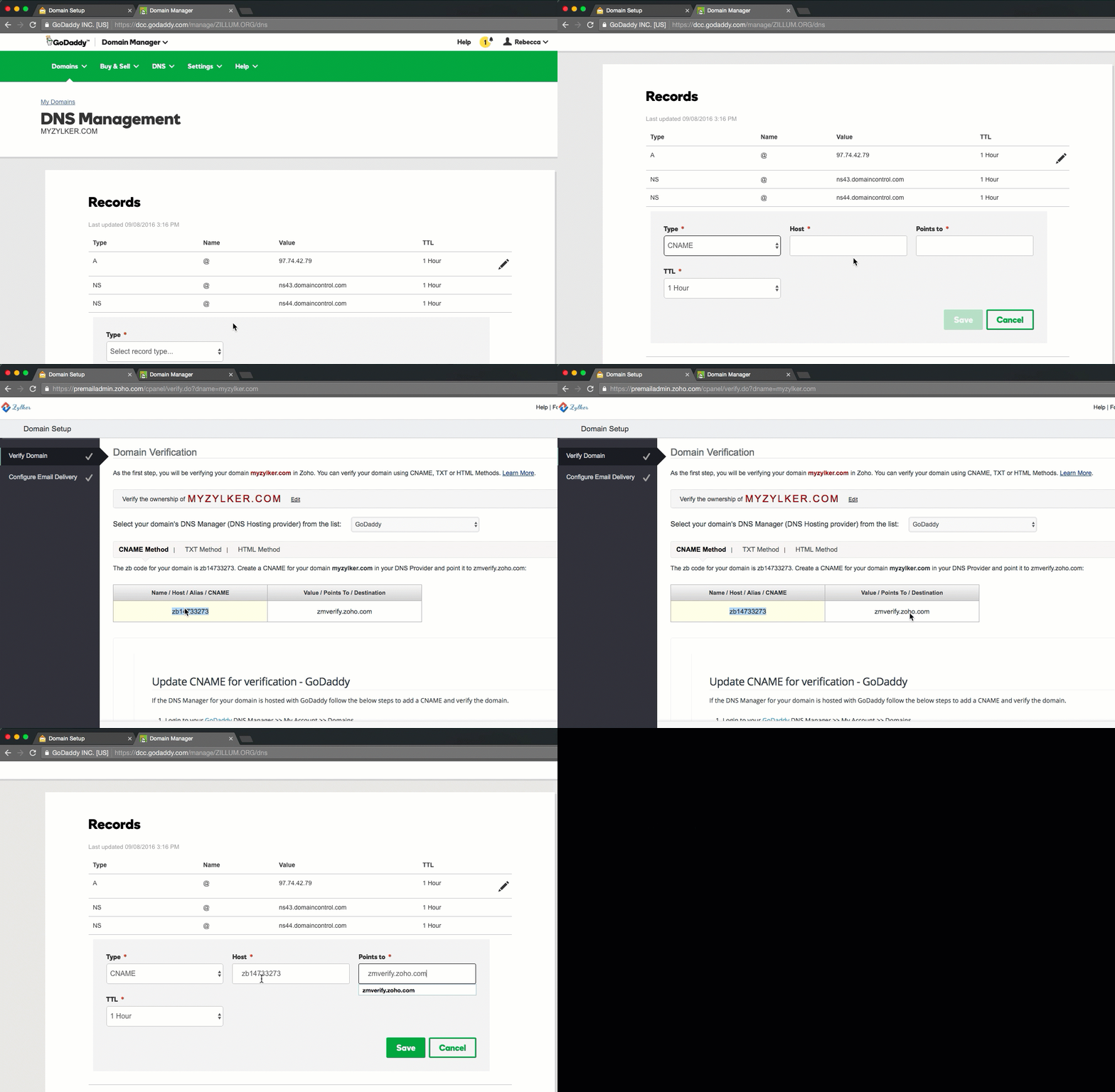
Navigate to your domain provider (e. g. GoDaddy, Namecheap, HostGator, or name.com) and review if a CNAME record exists for your www domain. If the CNAME record is pointing to Netlify, you can move on to step 02. If not, you should now add a CNAME record. Go to your DNS configuration in Netlify and copy the details for the CNAME record. Paste the details now into the CNAME field in your domain providers interface.
Step 02: Redirect your naked domain
Please note: The following process takes up quite some time. We built NakedSSL to make adding naked domain redirections easier and less frustrating. Use our quick checker to see if we can solve your problem — or scroll down to read the DIY how-to guide.
Test your domain now
If you don't already have a SSL certificate for yourdomain.com, redirecting from https://yourdomain.com to https://www.yourdomain.com will not work, because the browser has to successfully establish the SSL connection (https is http inside SSL) before it can redirect it. This fails as the SSL certificate does not match. If that is the case for you, you will need to purchase a valid SSL certificate for both your www and naked domains. After purchasing the SSL certificate you will need to install it on your server. This is a little tricky, but here are two possible configurations that will solve your problem:
You could use an if condition in your Nginx configuration, e. g. like this:
server {
listen 443;
server_name domain.com;
if ($host = domain.com) {
rewrite ^(.*) https://www.domain.com:443$request_uri? permanent;
}
}
Or you could use the following configuration to create a 301 redirect for your naked domain:
server {
listen 80;
listen [::]:80;
server_name example.com www.example.com;
return 301 https://www.example.com$request_uri;
}
server {
listen 443 ssl http2;
listen [::]:443 ssl http2;
server_name example.com;
return 301 https://www.example.com$request_uri;
}
server {
listen 443 ssl http2;
listen [::]:443 ssl http2;
server_name www.example.com;
====>>> Your site configuration goes here <<======
}
If you are looking for an easier way, try NakedSSL. It is a fast and hassle-free tool for 301 redirecting your naked domains with SSL certificate.